Ozon
Stencils in Seller App
Designing the Promotion section in the Seller App mobile application
Project details
Stencils is a tool for promoting sellers’ products in search, categories, product pages, and other dedicated placements. Algorithms configure placements automatically, with sellers paying for impressions or clicks. The tool uses an auction model: products in campaigns with higher bids compete to win impressions or clicks. Product-page quality and factors affecting search position are considered too.
Problems
Some sellers opened the Promotion section in a mobile browser to check campaign performance, change a budget, or turn a campaign on or off. The mobile web experience was not ideal, while Seller App had no Promotion section at all.
More than 70,000 potential sellers used the mobile app but did not use Ozon’s product-promotion tools. Analytics also showed that sellers who visited the advertising dashboard on weekends spent more on ads, at the median, than other sellers.
Goal
Bring the Stencils product-promotion tool into the Seller App mobile application.
MVP tasks
The initial request had no clearly defined requirements. At the product team’s request, I first designed almost the full desktop functionality for the mobile app, including management of both Stencils and Promotion in Search.
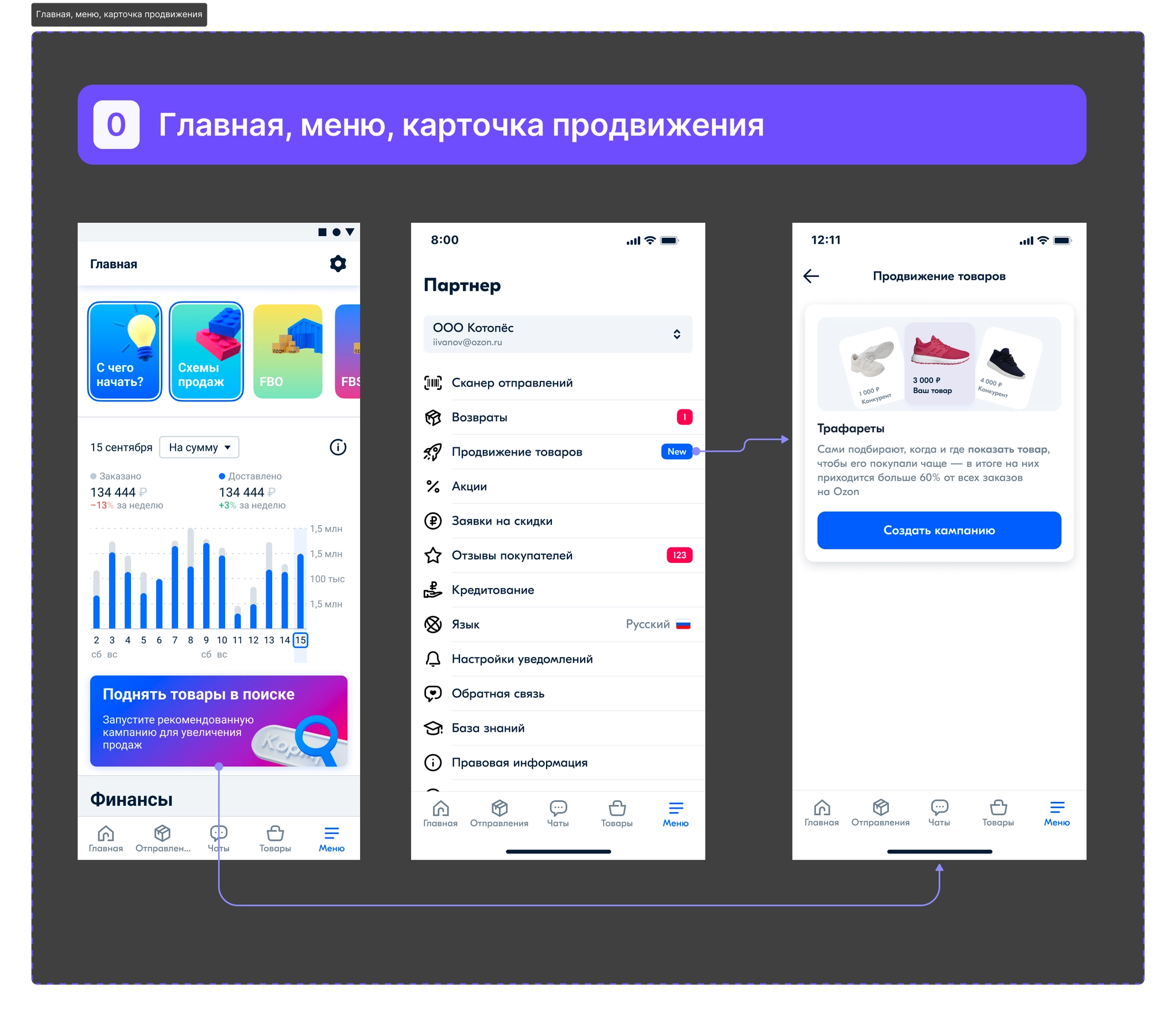
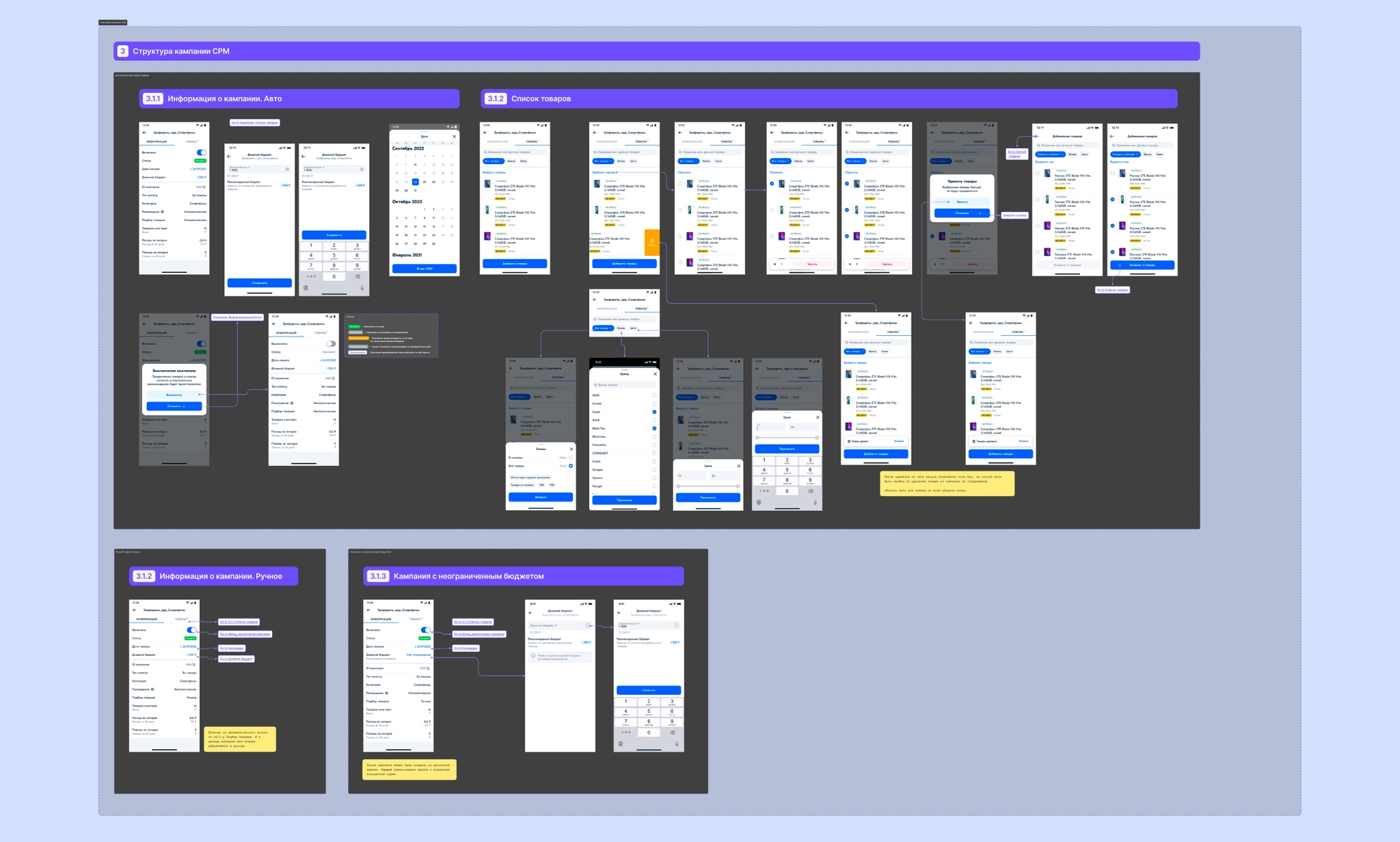
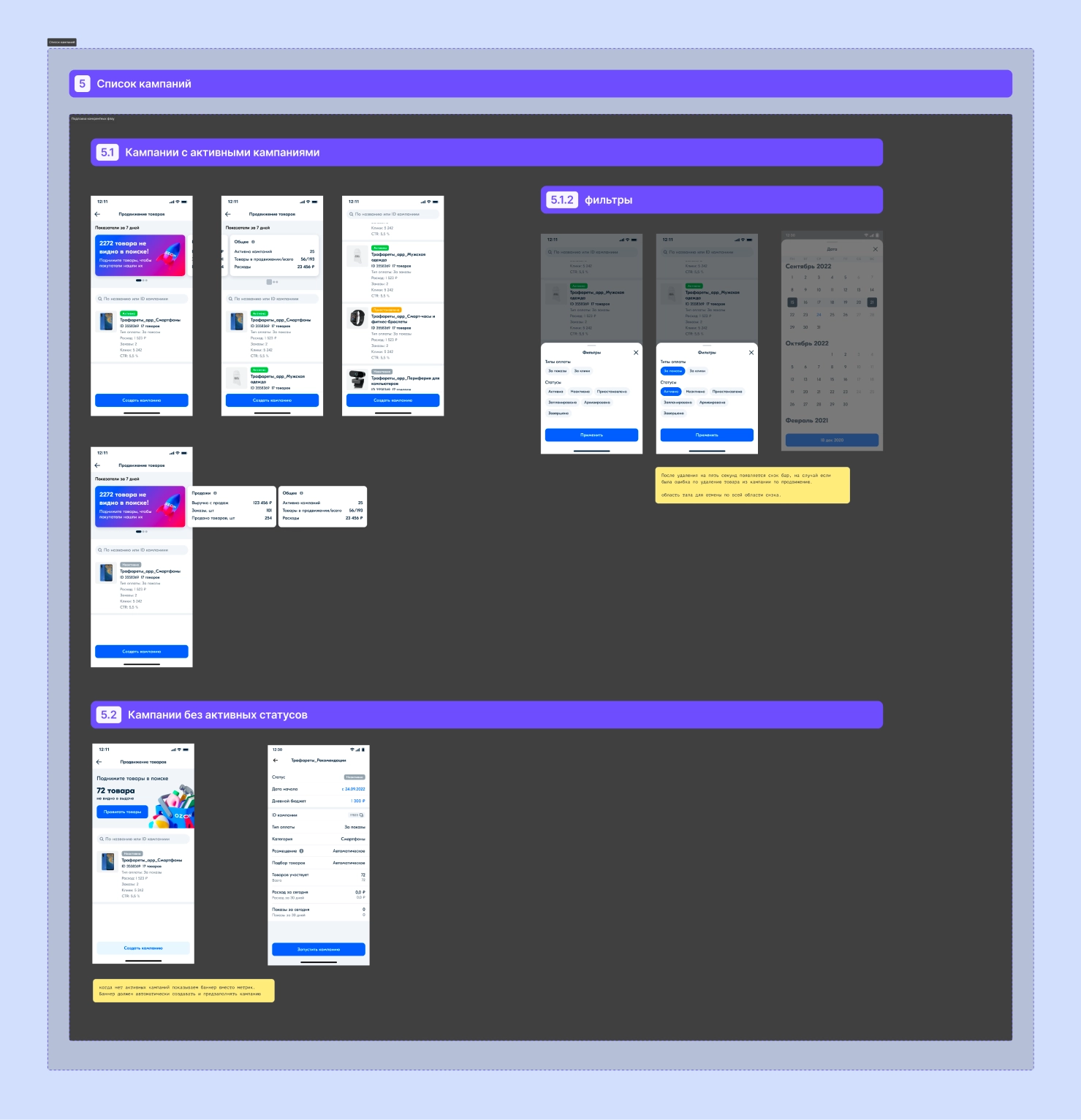
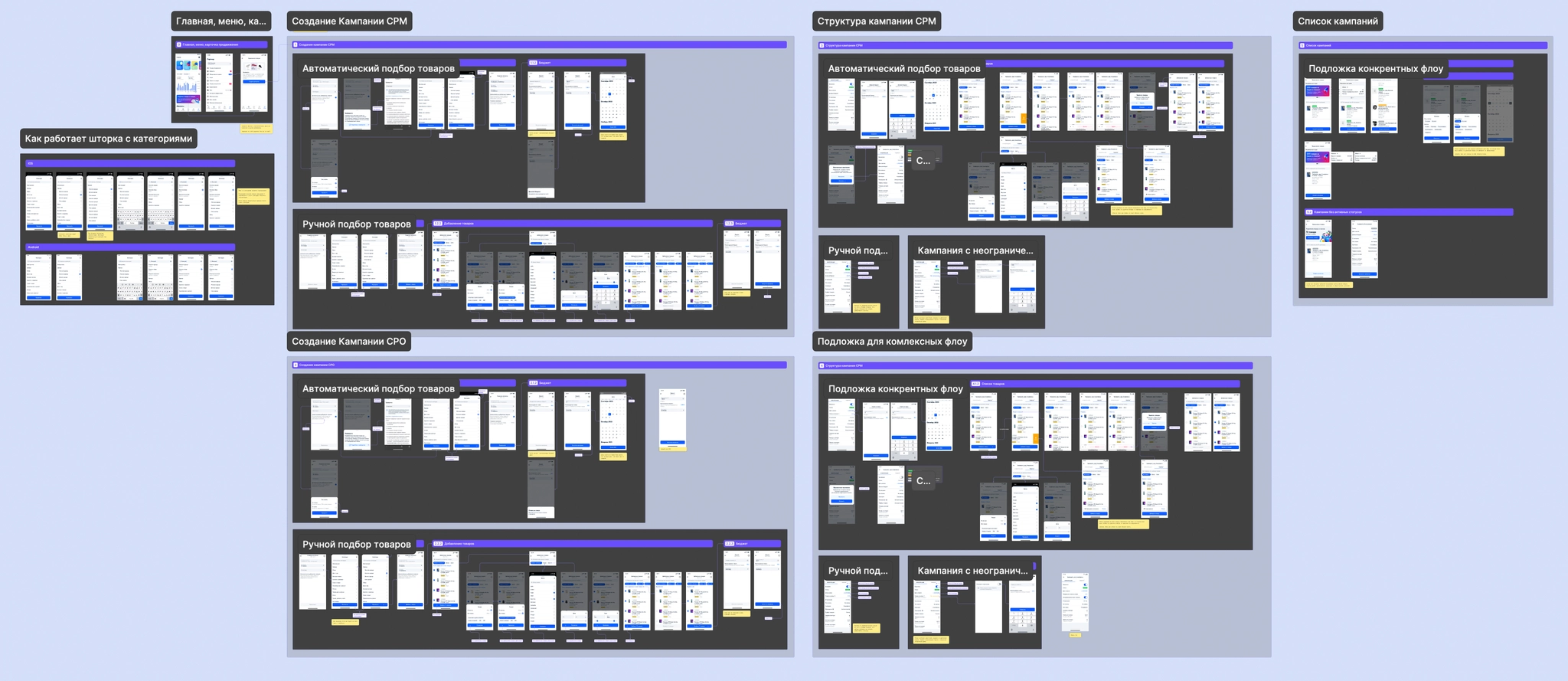
We then realized that building the whole concept would take years, so we agreed on a smaller MVP for Stencils: create a campaign with products added automatically by category, view metrics, change the daily budget, and turn a campaign on or off. My MVP tasks became:
- Design the campaign list;
- Design the campaign-creation flow;
- Design the campaign page with information and metrics;
- Define the behavior of each page;
- Create onboarding.
Process
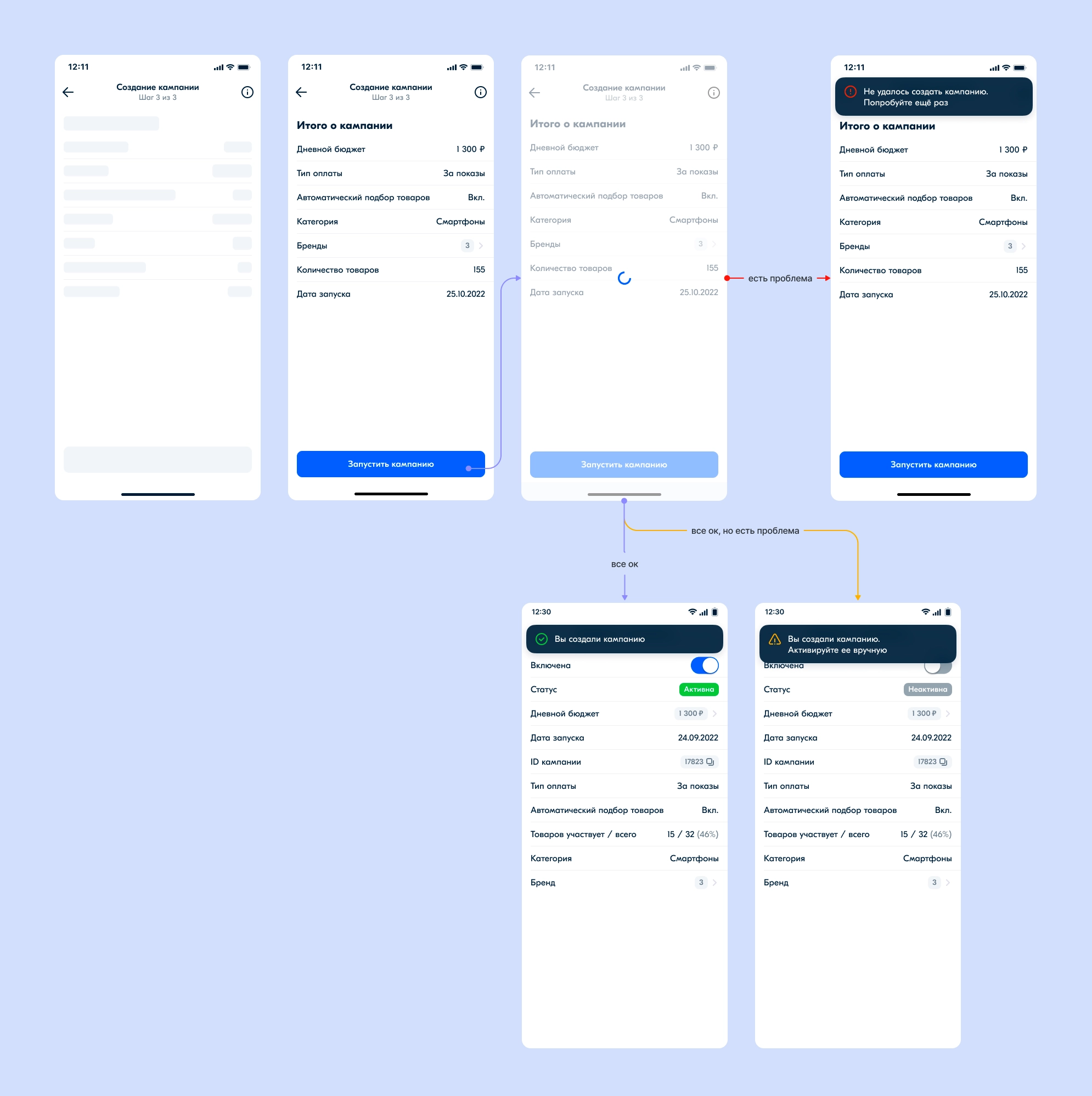
Building on the screens already designed, I developed detailed implementation designs. I documented how nearly every element worked, what happened on tap, validation, data errors, database outages, and lost internet connections.
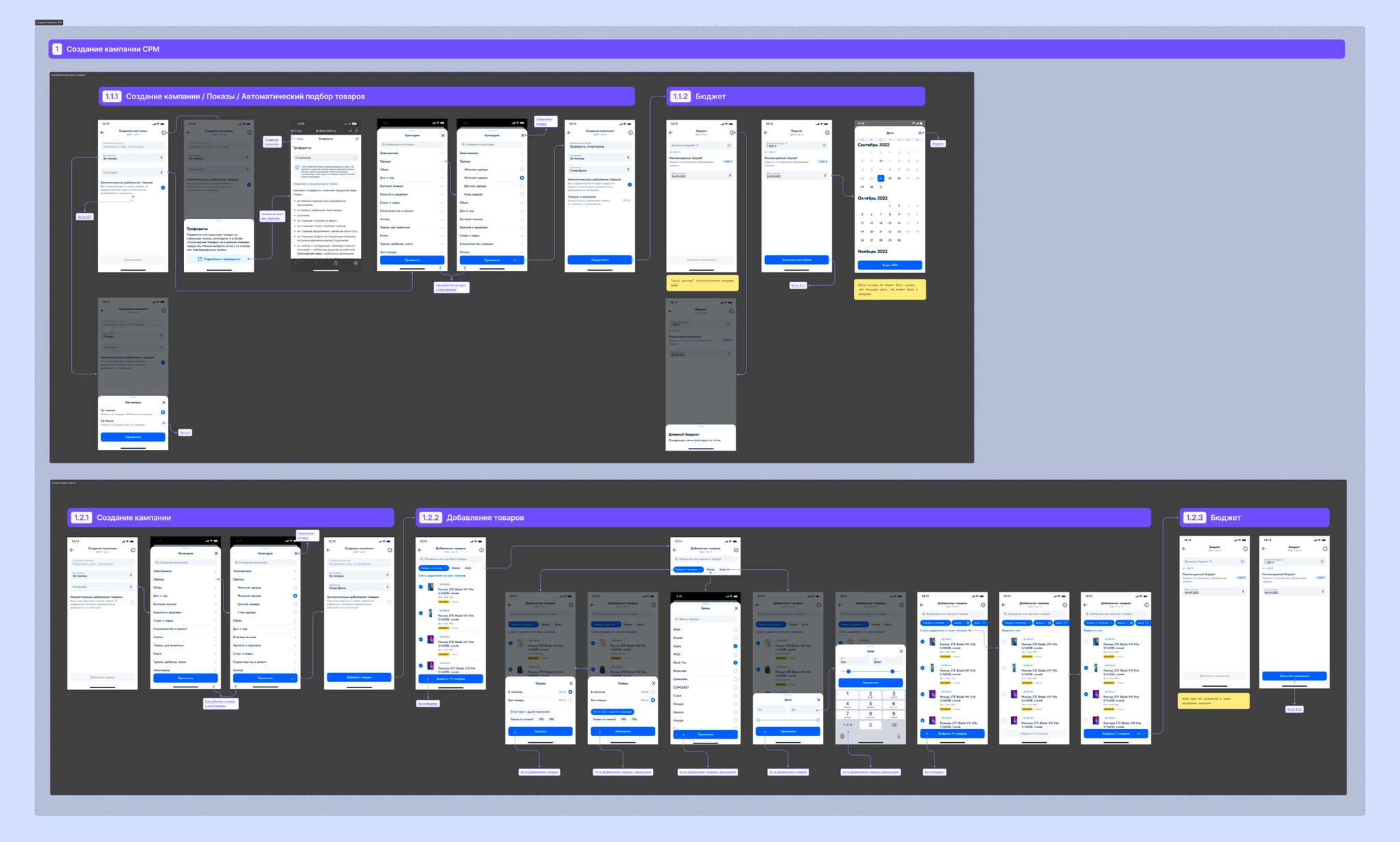
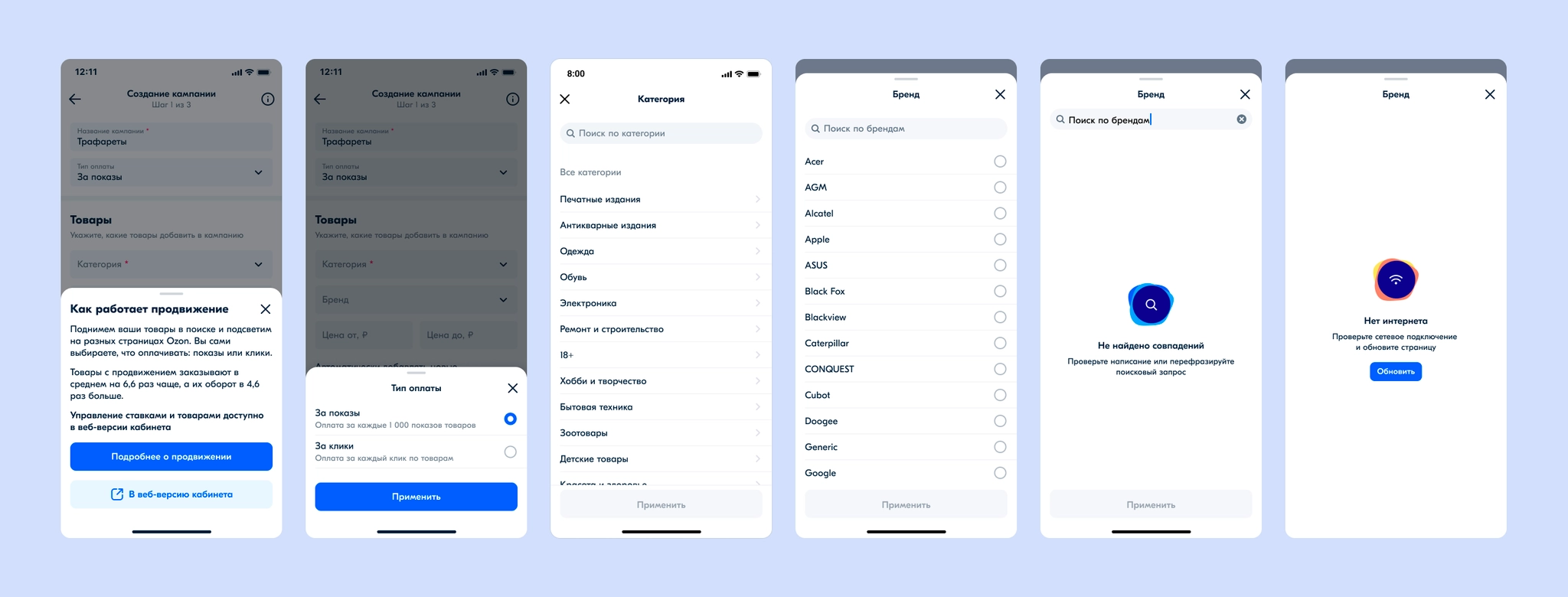
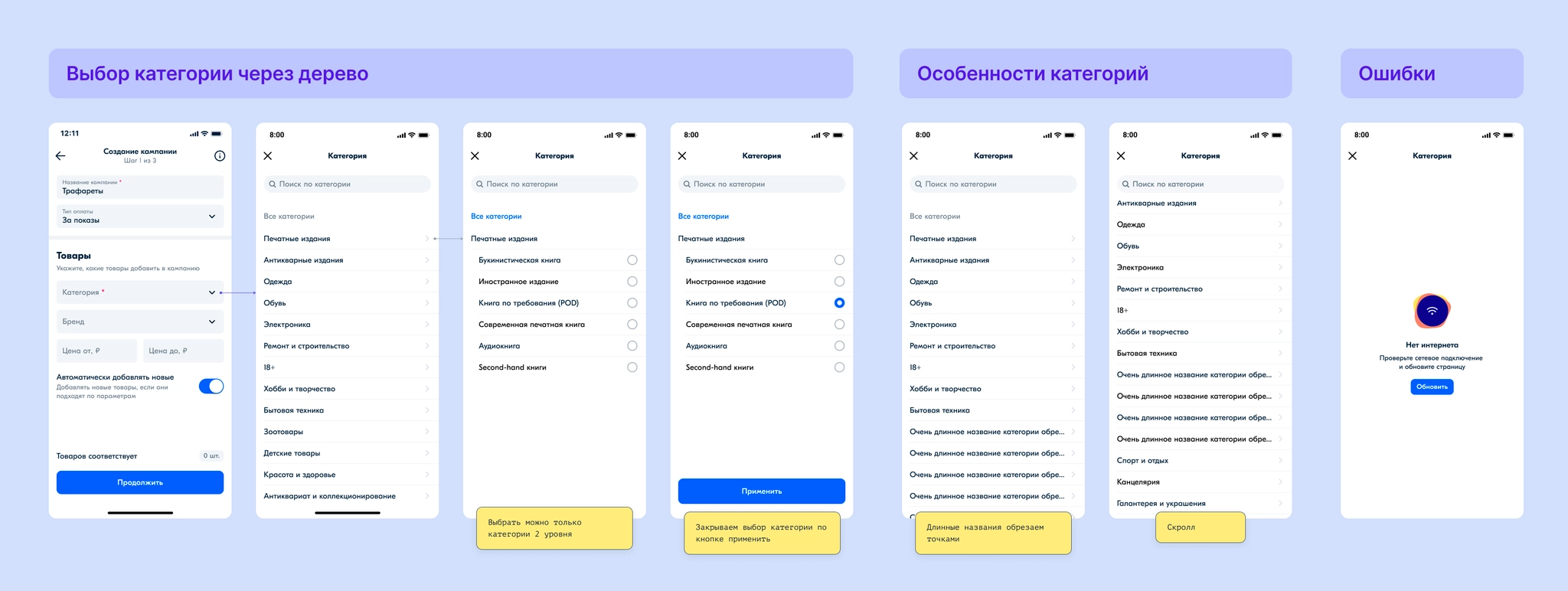
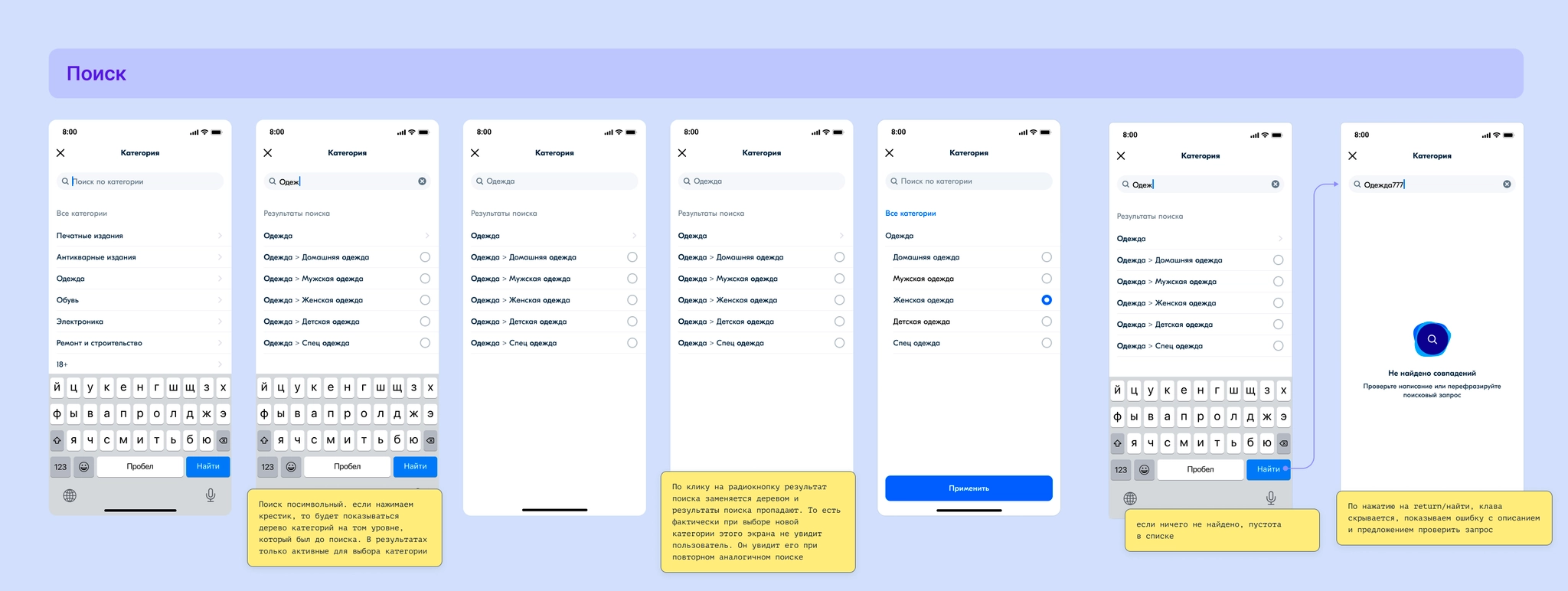
I designed the campaign-creation steps. In the first step, some fields are prefilled automatically. Products are added by selected category, with brand and price filters. Category selection is complex, so I documented it carefully for development and covered all its states.
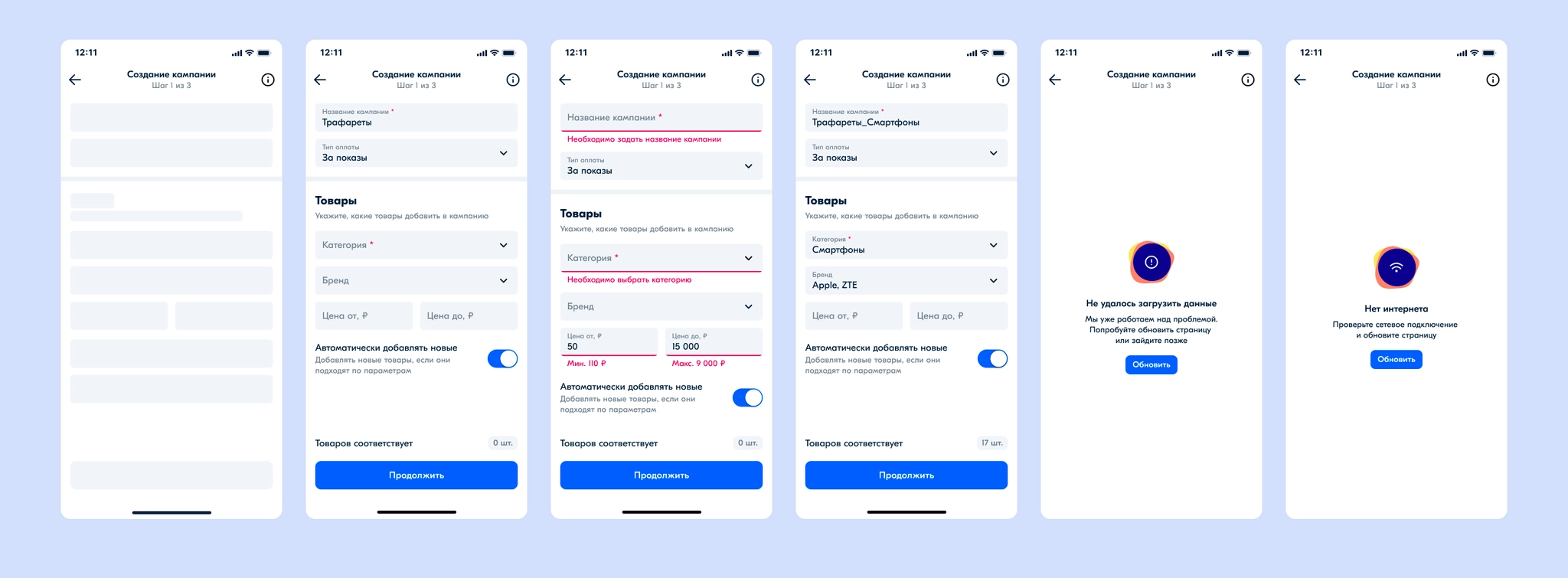
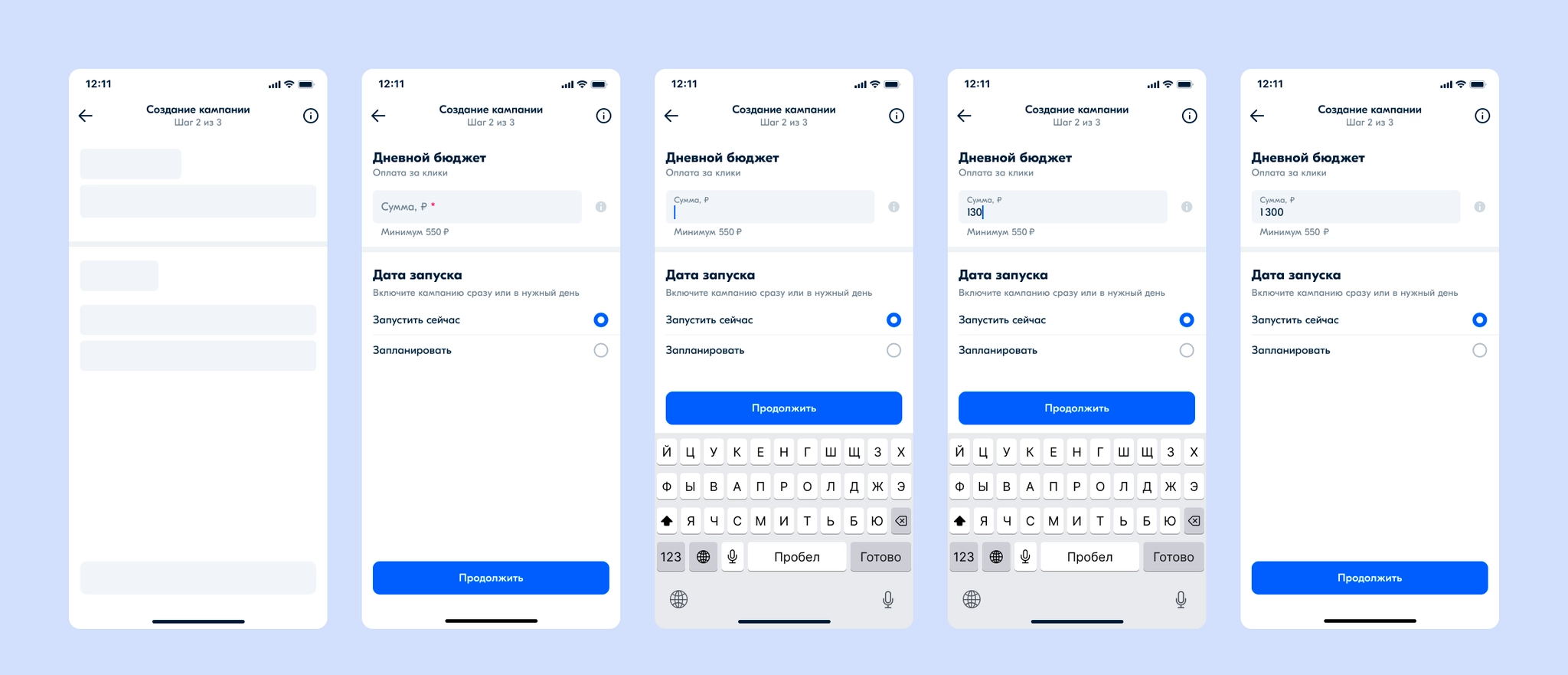
The second step sets the budget and campaign start date. Even though there is a minimum budget, the field is not prefilled: users should enter a monetary amount deliberately and feel confident about it. The start date can be immediate or scheduled.
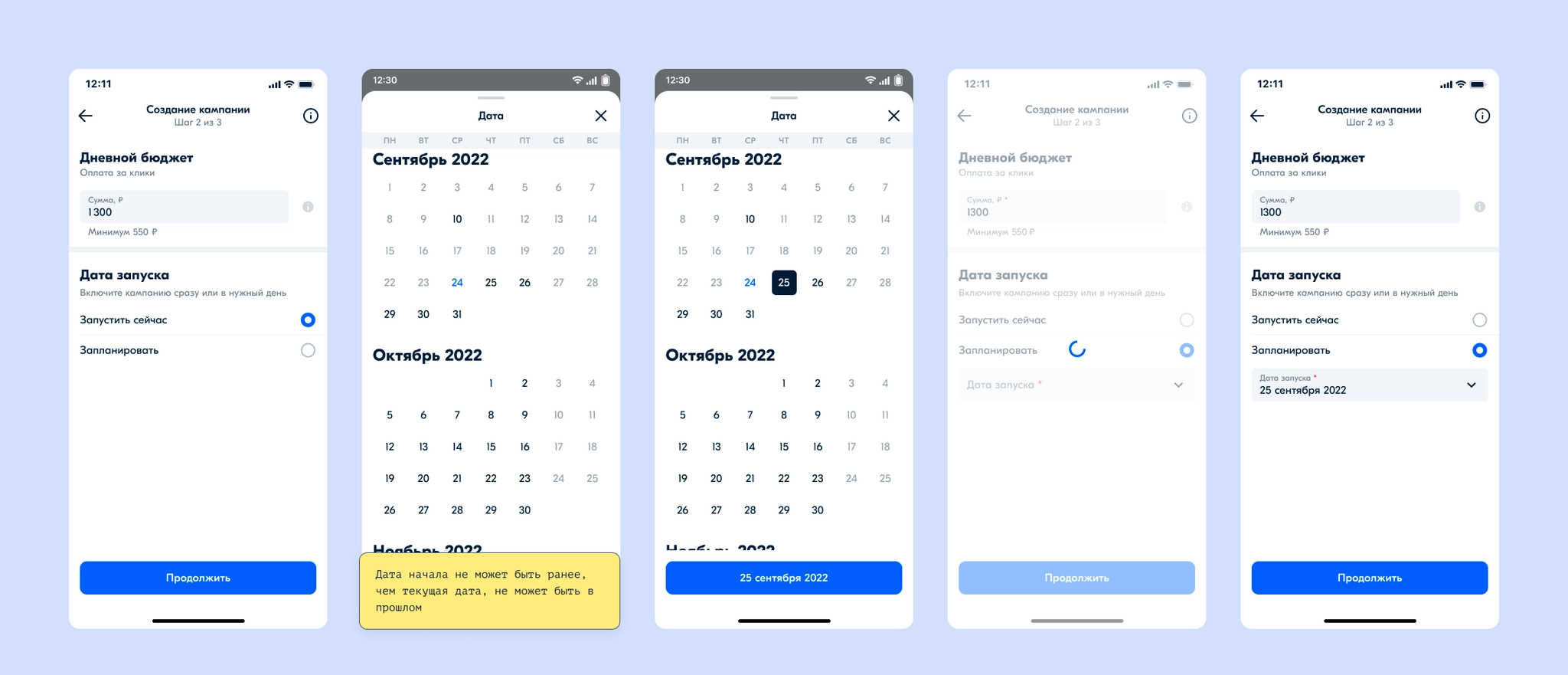
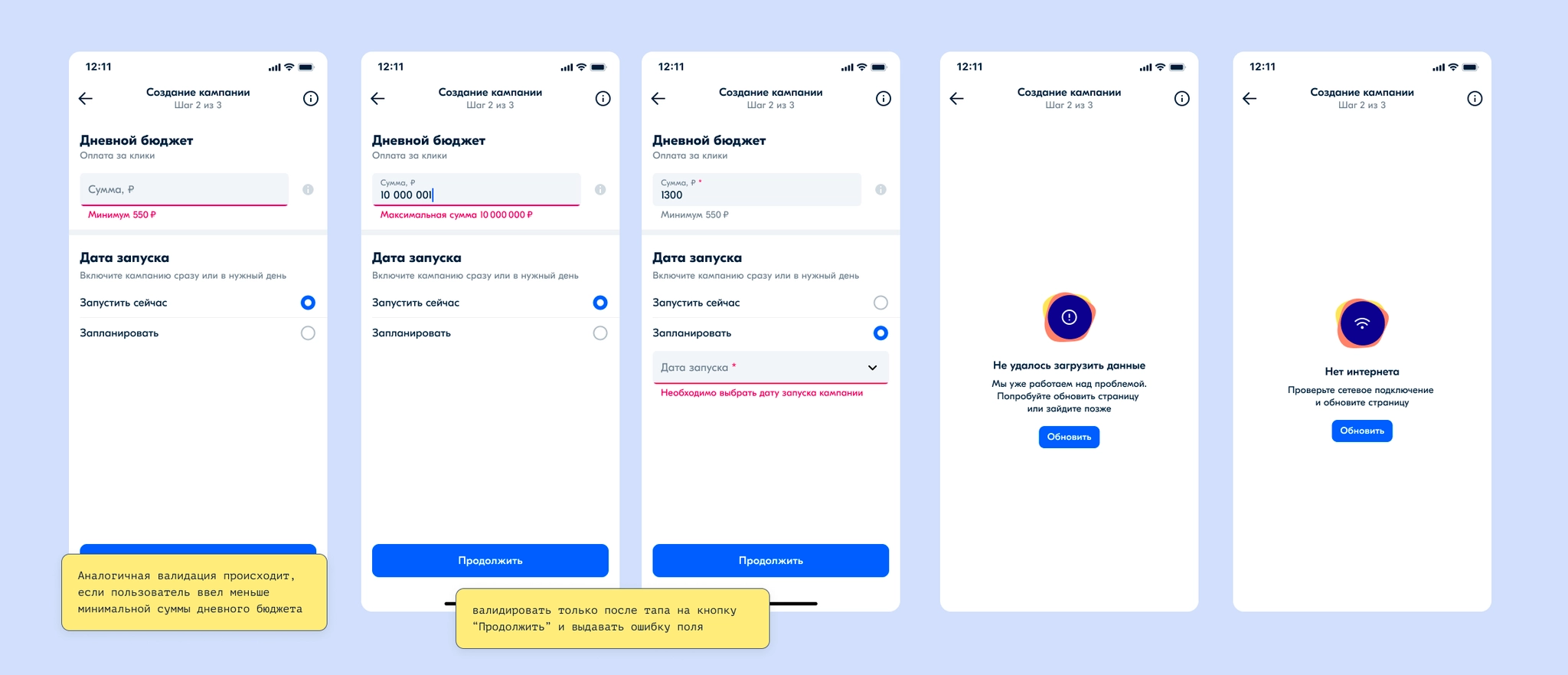
The final step lets users review and confirm the campaign settings, then takes them to the campaign page.
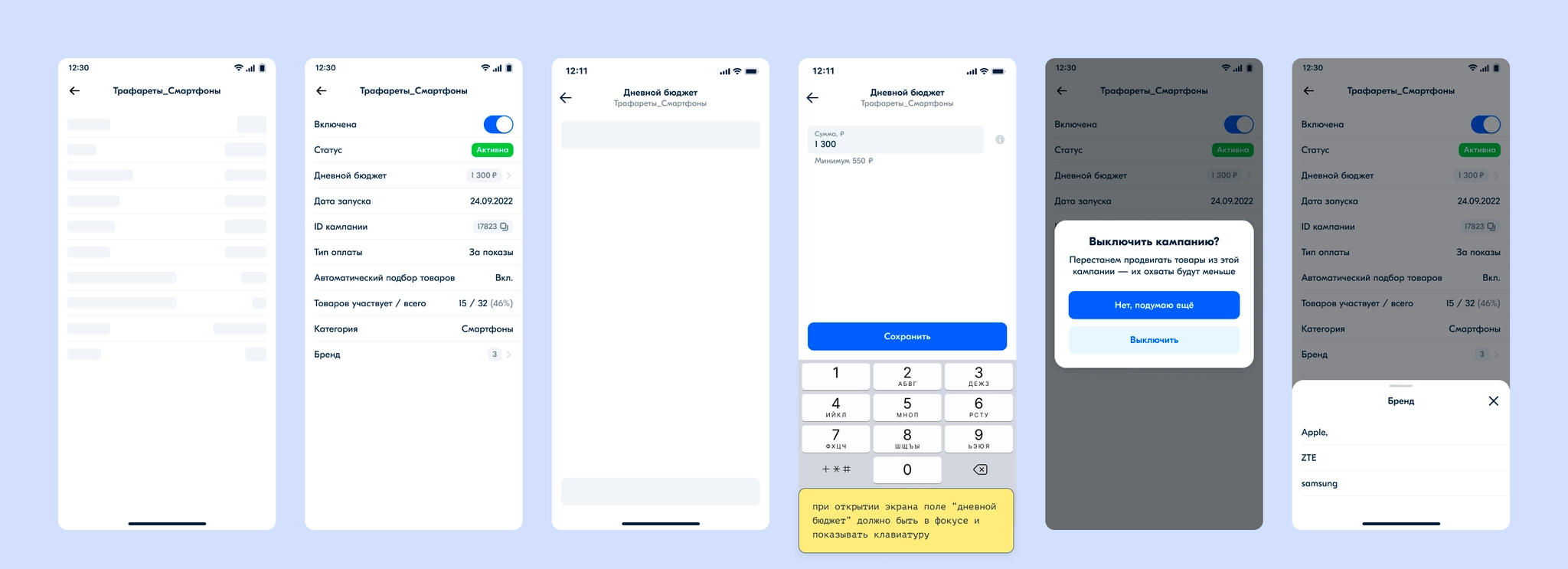
On the campaign page, I designed the information view. Sellers can turn a campaign off and change its budget; for a scheduled campaign, they can change the start date too.
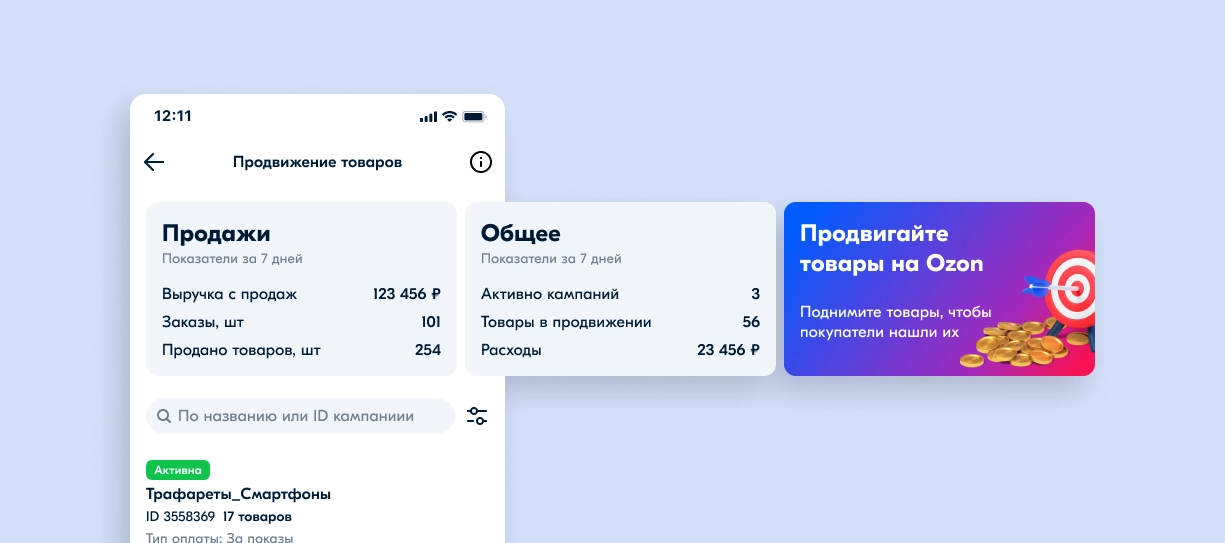
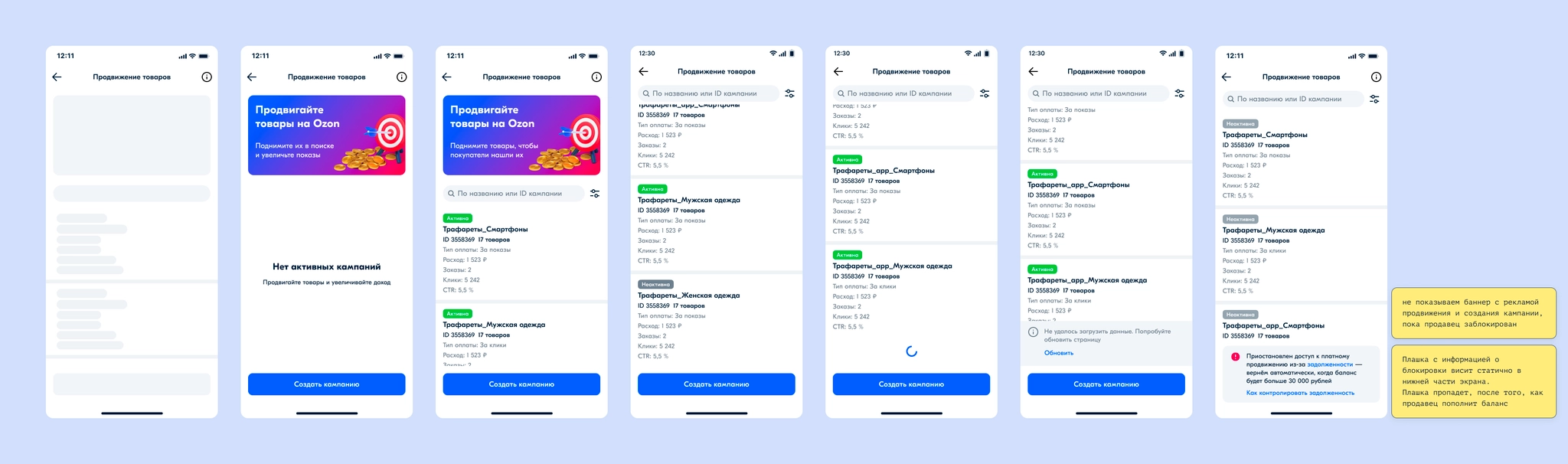
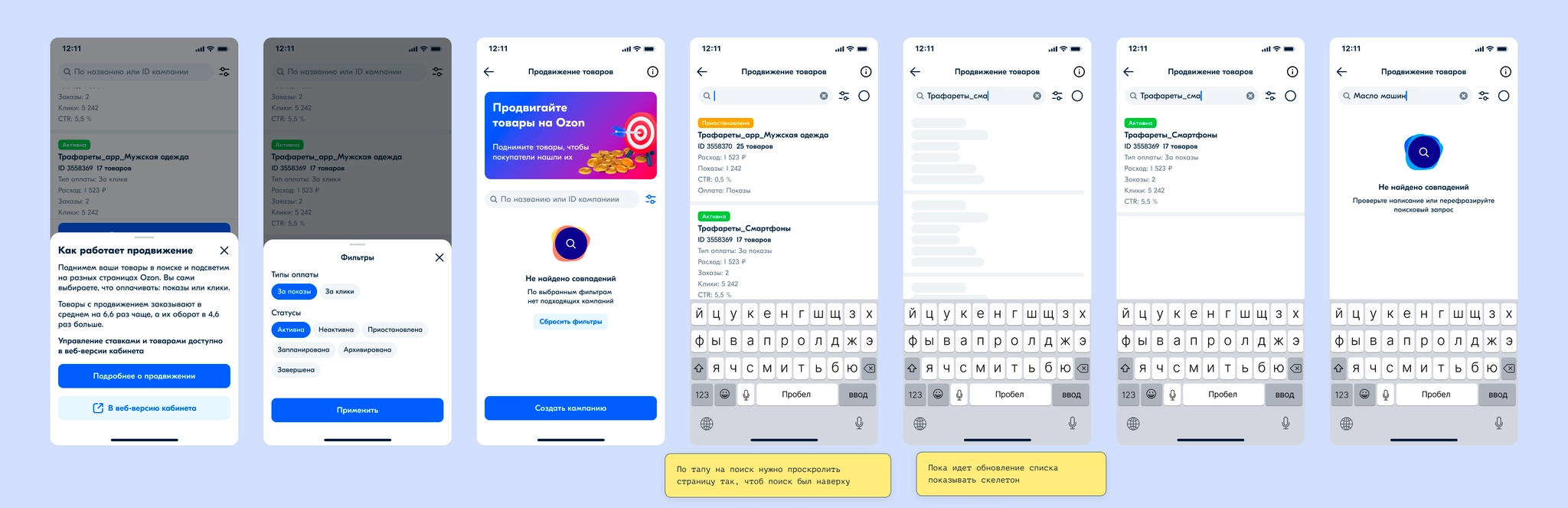
For the campaign list, we placed a banner above the list encouraging sellers to start promoting products; a carousel of cross-campaign metrics was planned for that space later. I designed the list, filters, search, the state for sellers blocked over nonpayment, scrolling behavior, and possible errors.
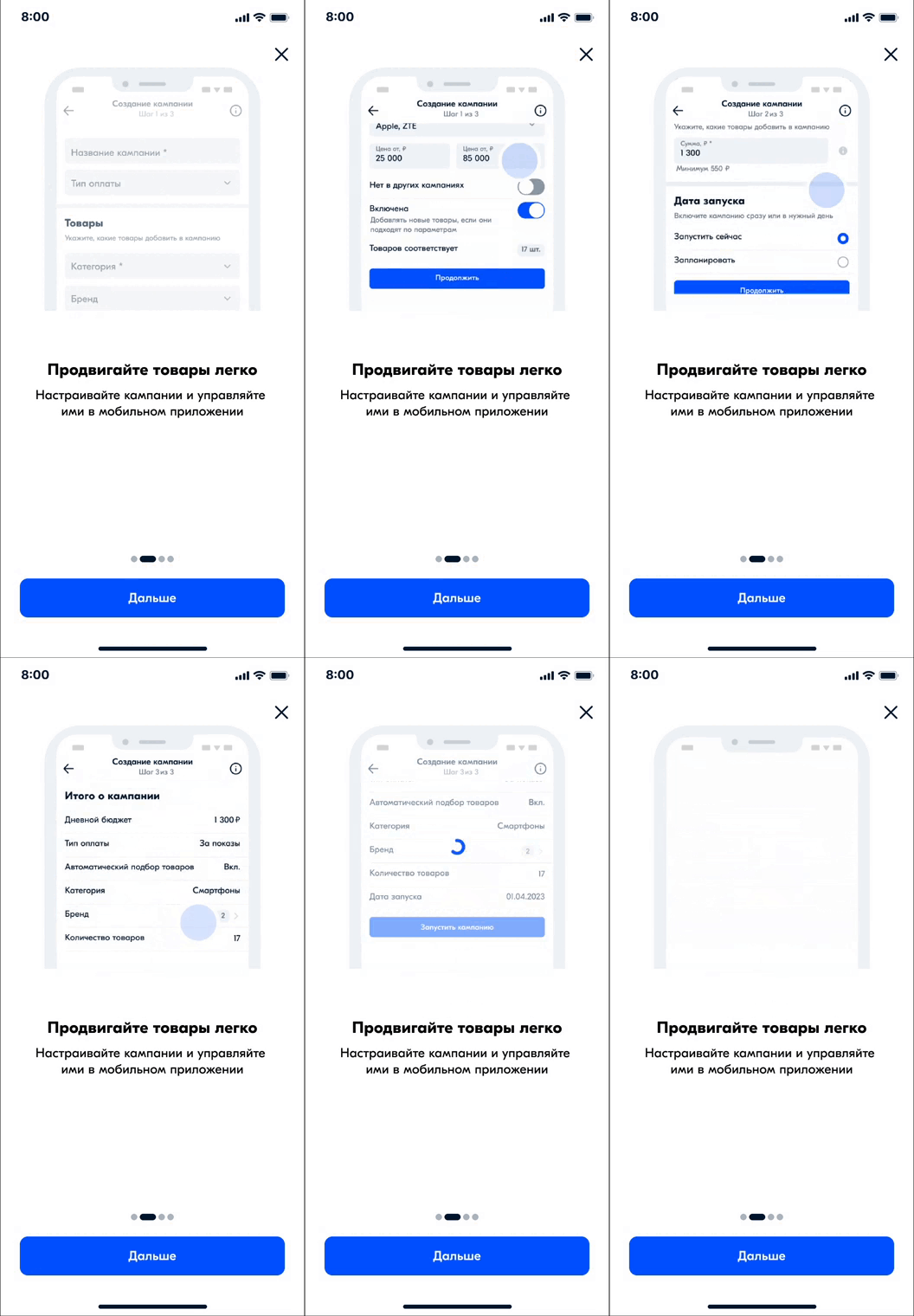
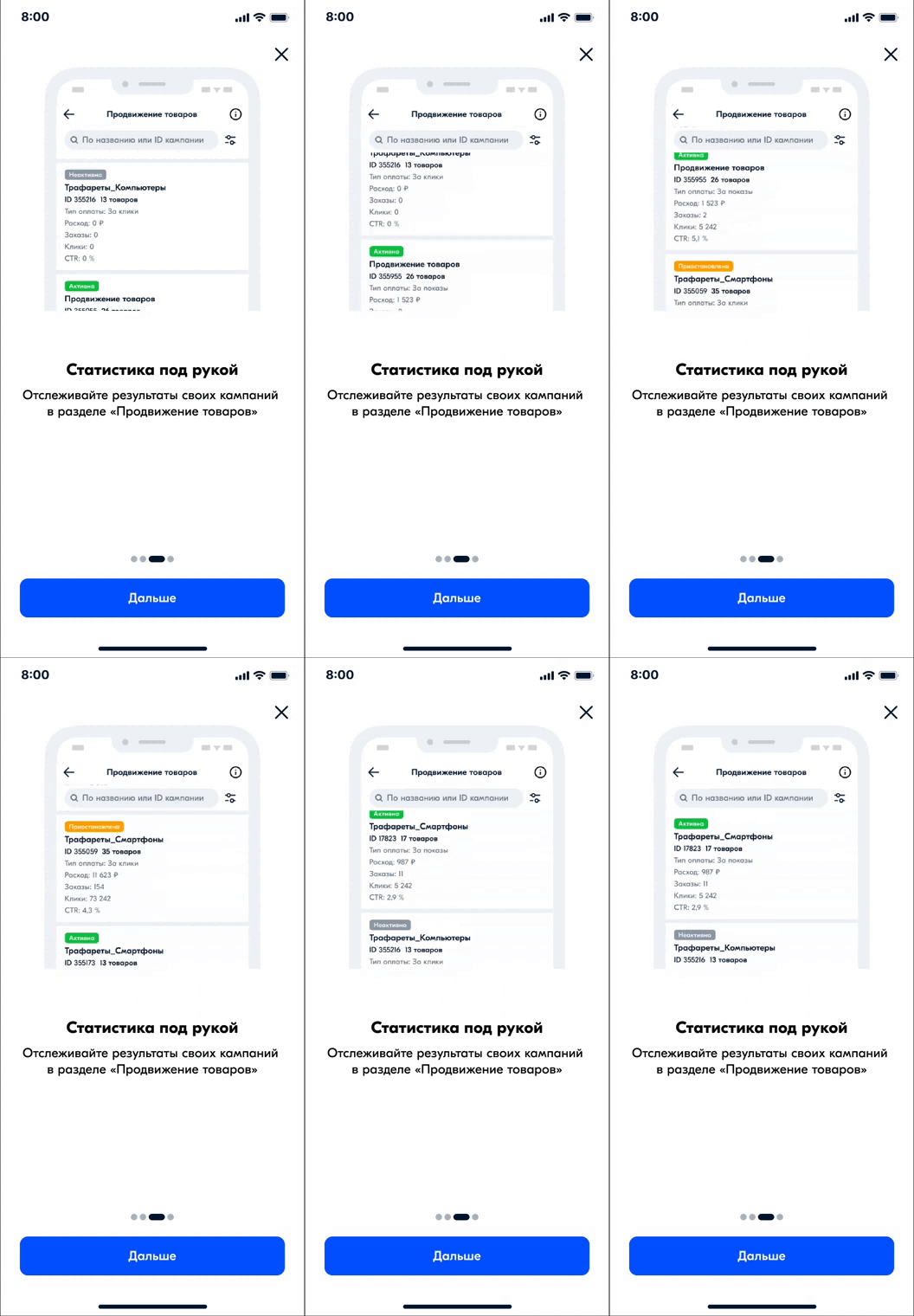
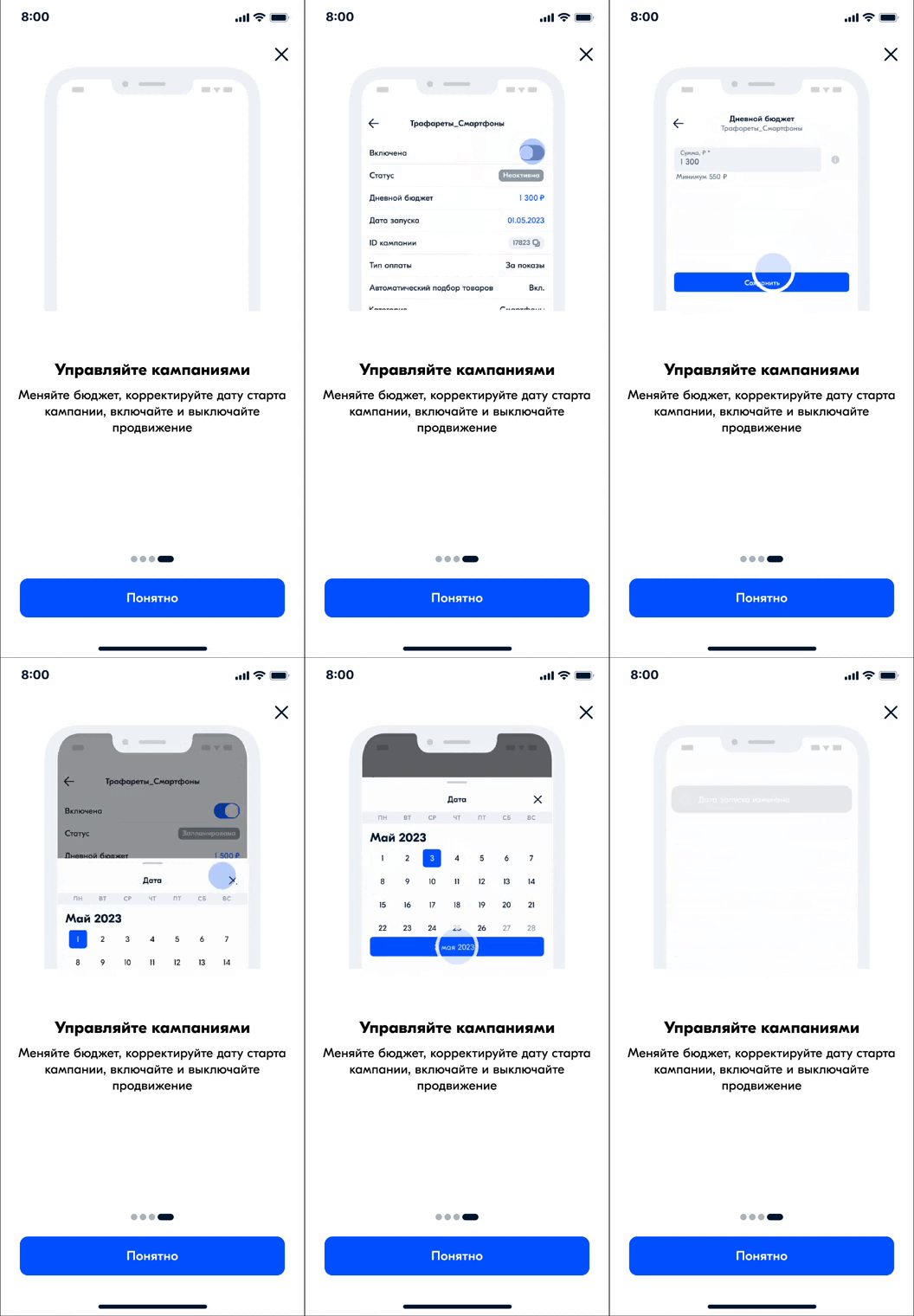
I planned a contextual, full-screen onboarding flow and animated it in After Effects. It appears the first time a seller enters the section.

Result
The feature launched in May and rolled out to all sellers. We collected feedback: the main complaints were a lack of detailed campaign metrics and an inability to manage product bids or the products themselves. Campaigns created by new users accounted for 16% of the mobile app’s total advertising revenue. Sellers created more than 30,000 campaigns; more than 20,000 campaigns generated revenue.
Next steps
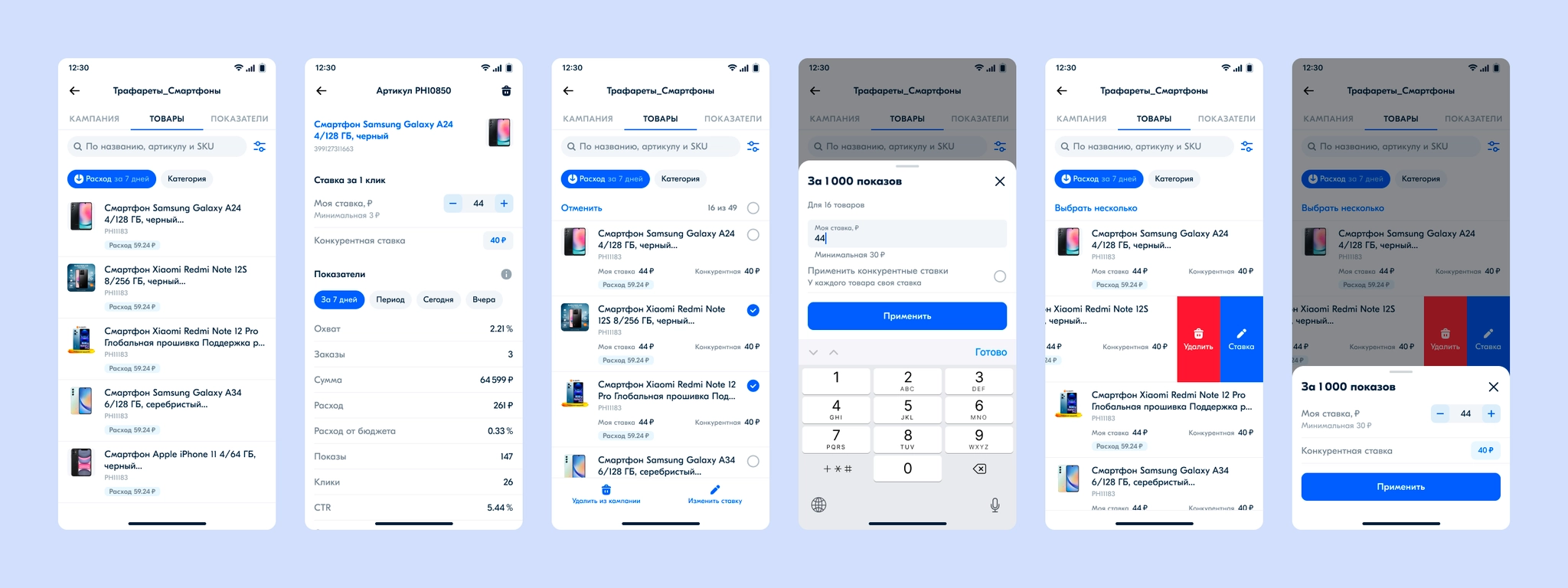
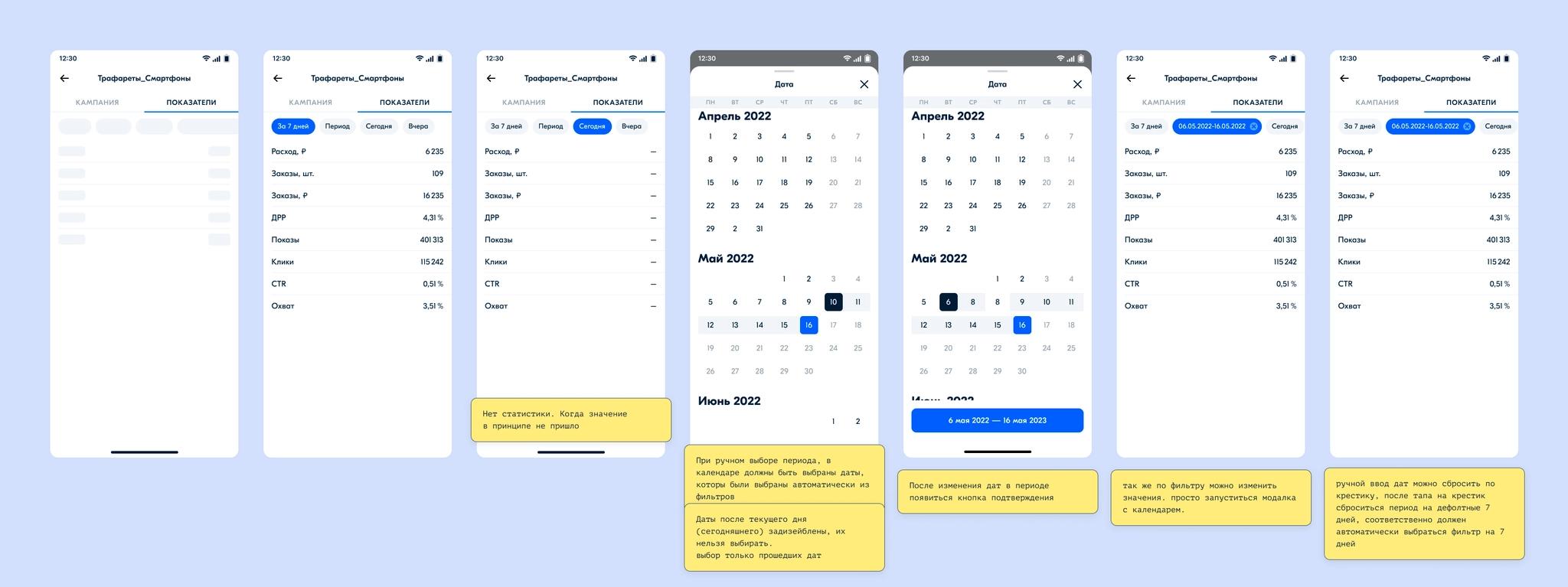
I prepared designs for the next development phase, showing campaign metrics for a selected day or period.
Further work covered product management, product-level metrics, and bid editing.